Product
Build Chamfer apps from Claude, Cursor or Codex

Mei Lin Tan
·
·
4 min read

Chamfer MCP is live today on every plan, Free included. Connect Claude Code, Cursor or Codex to your workspace and you can create, edit and release Chamfer apps from the editor you already use.
The part we spent the most time on is the part you shouldn’t notice: nothing about the controls changes when you leave the browser.
What your editor can do
The MCP server offers the same actions as the Bench, limited to your role:
list the apps, data sources and environments you can open
create an app from a prompt, or change one screen, query or permission
run a query against staging and read the result
open a release for review, with the diff attached
If your role can’t do something in the browser, it can’t do it over MCP either. A support agent’s editor can’t read the payments schema, however the request is worded.
In the private beta, most people used it for the last stretch of an app: a tricky query, a custom component, a rename across twelve screens. The first draft still tends to start from a prompt in the browser. The fine work moves to the editor, next to the rest of the team’s code.
Connect in two minutes
Every workspace has its own server URL. In Claude Code it’s one command:
Restart the client, type /mcp, choose chamfer and sign in with your company SSO. Cursor and Codex take a short config block instead. The docs have the exact steps for each.
Admins decide which clients are allowed. Under Settings → Connections you can allow all three, pick one, or switch MCP off for the whole workspace.
Plans and limits
MCP is on every plan. Edits made over MCP draw on the same monthly credits as the Bench, and running a query uses none.
Your name on every change
MCP sessions sign in as you, through your identity provider. There are no shared tokens to rotate and no service account with broad access. When someone leaves and their account is removed upstream, their session stops at the next call.
Each action lands in the Logbook with your name, the client you used and the prompt behind it. An auditor sees “Maya Okoro, via Cursor” next to the diff, not an anonymous API key. If a laptop goes missing, revoking its client ends every session it holds, and the record shows exactly what it did before you stepped in.
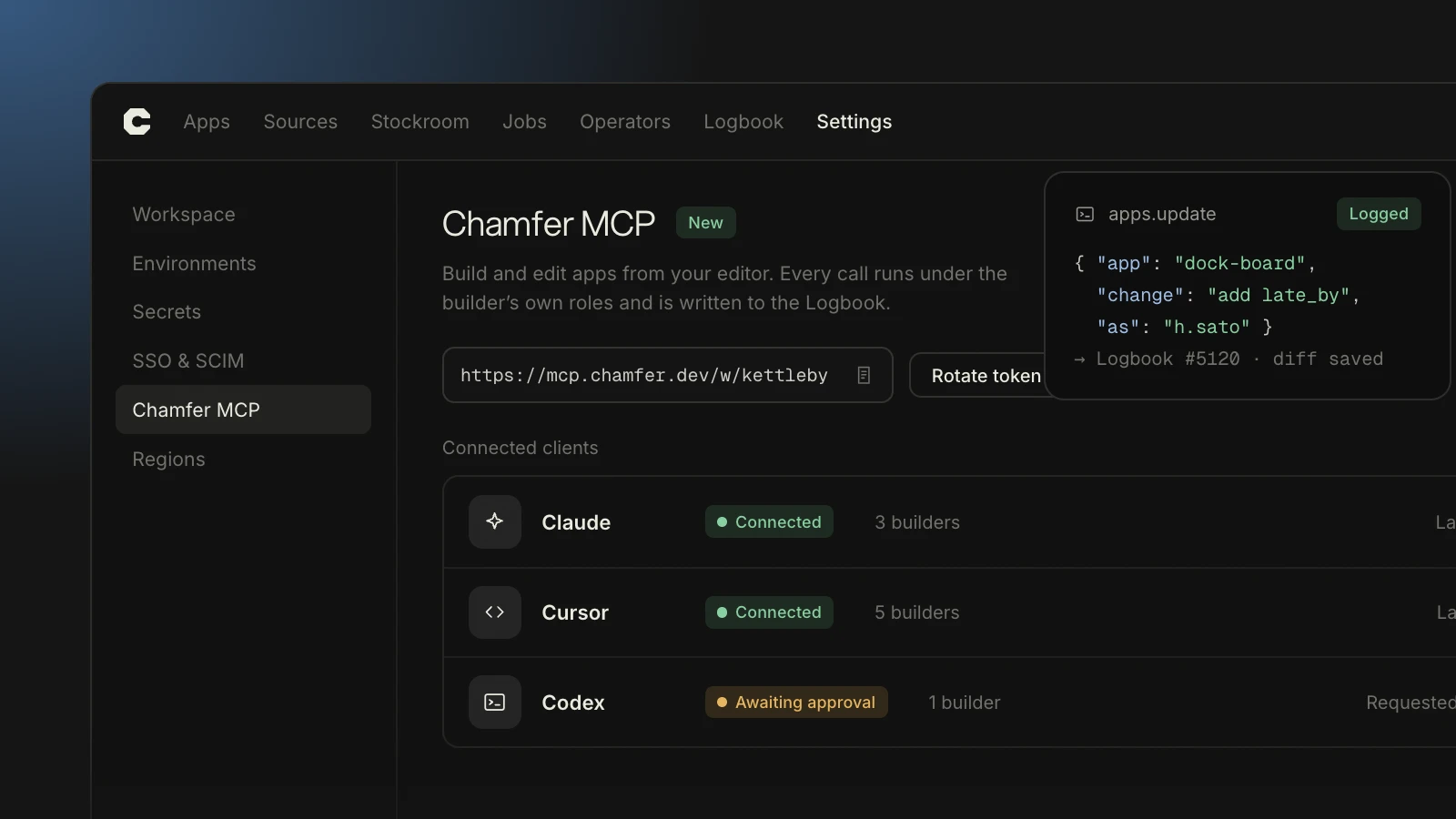
The connections panel shows every client signed in to your workspace. Admins can revoke any of them in one click.
Releases still go through a person
Working from an editor doesn’t skip review. A release opened over MCP joins the same queue as one opened in the browser, and the approver sees the same diff. If your Specs call for a second approver on payment writes, that rule holds whichever client wrote the change.
Approvers can also see where each edit came from. The release lists the client and the prompt behind every change, so a reviewer can tell a hand-written query from a generated one at a glance.
“Engineering stopped owning admin panels. We review the Specs, approve the permissions and get back to the product.”
Theo Marchetti, VP Engineering, Quenby
What we heard in the beta
About 600 workspaces used MCP in a private beta over the summer. Two requests shaped the launch. Engineers wanted to review from the editor too, so release diffs can now be read over MCP. Security teams wanted to know which client made each change, so the Logbook records it on every line.
What’s next
In October we’ll add Jobs to the MCP server, so you can schedule and test a run from your editor. We’re also building a read-only connection for teams that want AI clients to inspect apps without changing them. Tell us what else you need at hello@chamfer.dev.
Keep reading

What we found scanning 2,000 React apps for exposed keys
Before Refit opened to Next.js, we ran its scanner over 2,000 internal React repos that customers shared with us. Here's what it flagged, and what we changed.

Oren Bassett
·

What 1,400 companies taught us about approving AI-built apps
We tracked a year of sign-offs across 38,000 apps. The fastest teams didn't review less. They settled the hard questions before anyone wrote a prompt.

Nadia Keller
·